drc.dev, the first portfolio
People kept asking about my side projects, and I had nowhere to point them.
- Web
- Static sites
- Portfolio
Problem
Over the years I’ve built a lot of little projects, and I usually learn a lot from each one. Whenever I talk about them, people want to know more. Some want to start something of their own.
I wanted one quick, easy place to post those projects, in case they help someone else get started.
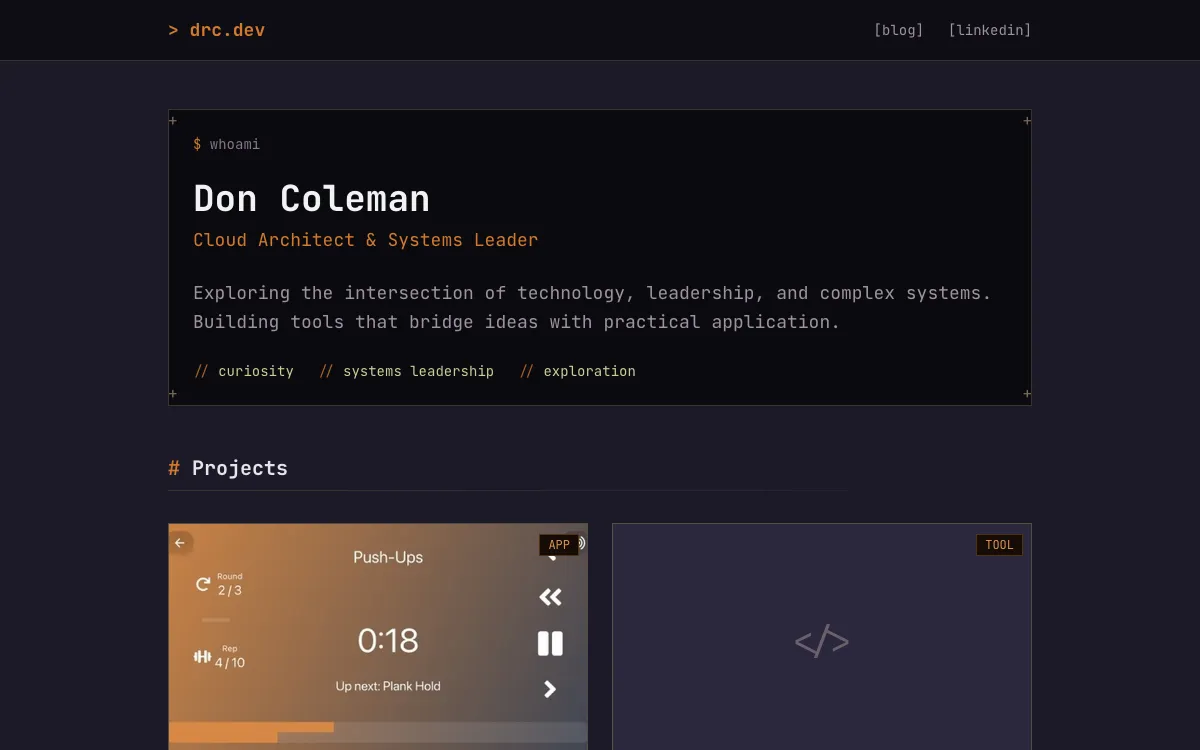
I put it on drc.dev, my initials. I liked the .dev name for a place to post development projects. It also keeps them separate from doncoleman.ca, which I’m building as a more personal website.
Options
I looked at a few places to host it for free or cheap. The site didn’t need anything interactive, so a plain static site would do.
- Free: It’s a side project page, so I didn’t want to pay to keep it online.
- Easy: Pushing a change should be all it takes to publish it.
- Static is enough: The site has no interactive parts, so I didn’t need a server.
- On drc.dev: The projects needed their own home, apart from doncoleman.ca.
| Option | Free | Easy | Static is enough | On drc.dev |
|---|---|---|---|---|
| Vercel | Yes | Yes | Partly | Yes |
| fly.io | Partly | Partly | No | Yes |
| GitHub PagesChosen | Yes | Yes | Yes | Yes |
Why GitHub Pages won: it’s free and easy, and I didn’t need any interactive components.
Build
I built the whole site with Claude Code. I started with a detailed spec of how I wanted it to look and what platform I was targeting. Writing the spec up front made a big difference. It took some back and forth to fine-tune, and there were elements I wanted to change, but overall the early experiments were excellent. The whole thing took only a few evenings.
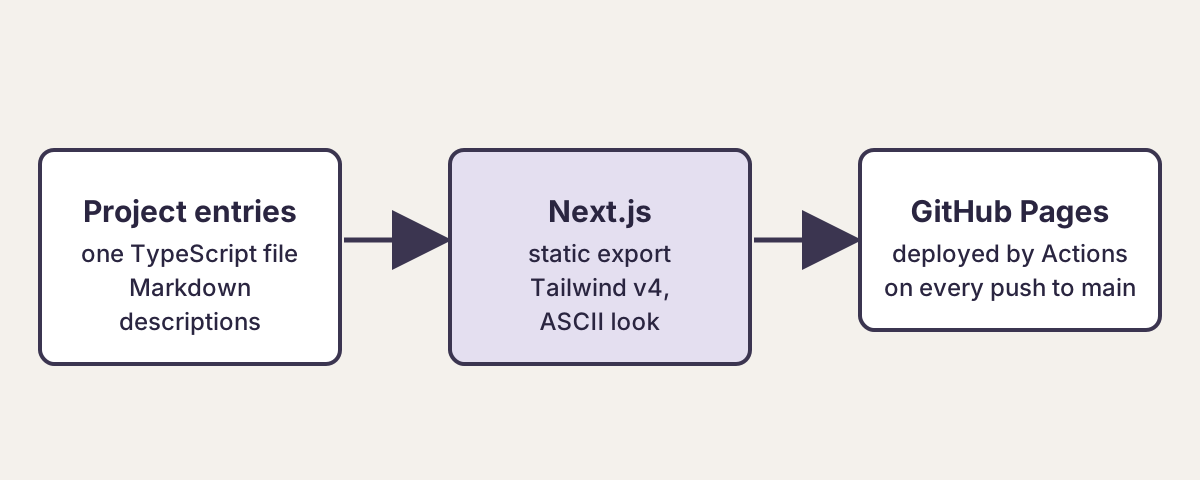
The terminal look is a bit of nostalgia, and it fits the development theme: boxes with corner marks, buttons in square brackets, a badge for each technology and a rust accent. Underneath, it’s a Next.js site in TypeScript exported to static HTML. Each project is one entry in a single file, with its description in Markdown. A GitHub Actions workflow builds the site and deploys it to GitHub Pages on every push to main.
I added privacy pages for two of the apps later. I was thinking about publishing them to the App Store and wanted to be ready if I did. I haven’t published any yet.
- The first drc.dev, while it is still live This is not a live demo.
- Source code for drc.dev, the first portfolio
Lessons
I’ve pointed a few people to the site, but honestly I’m not sure anyone has looked at it.
It started as a way to show off a few projects. When I began rebuilding doncoleman.ca, I realized the projects made more sense there, told as stories instead of listed. So this site is being replaced by the one you’re reading.
If you’re building your own portfolio, think about the image you want to present and the story you want to tell. With a strong definition of both, AI can go a very long way toward getting you there.